
Download Barometer Atmospheric Pressure – Real‑Time Weather & Health Forecast Tool
Overview
Barometer Atmospheric Pressure is an internet‑based application designed to deliver live barometric‑pressure readings within seconds. By tapping into the reliable data streams of Weather Underground, the app provides accurate pressure measurements in millimetres of mercury (mm Hg), inches of mercury (in Hg), and millibars (hPa). Whether you’re a hiker planning a weekend trek, a sailor checking for approaching storms, or someone living with arthritis who needs to anticipate joint‑pain flare‑ups, this tool translates raw atmospheric data into practical, everyday insights.
The software is multilingual, supporting more than ten languages, and it works across desktop and mobile platforms, including tablets and smartphones. An active internet connection is required, but the lightweight design ensures rapid updates without draining battery life. In short, Barometer Atmospheric Pressure combines scientific rigor with user‑friendly design to give you a clear picture of how the sky might affect your day.
Key Features
- Real‑time pressure data sourced from Weather Underground for high reliability.
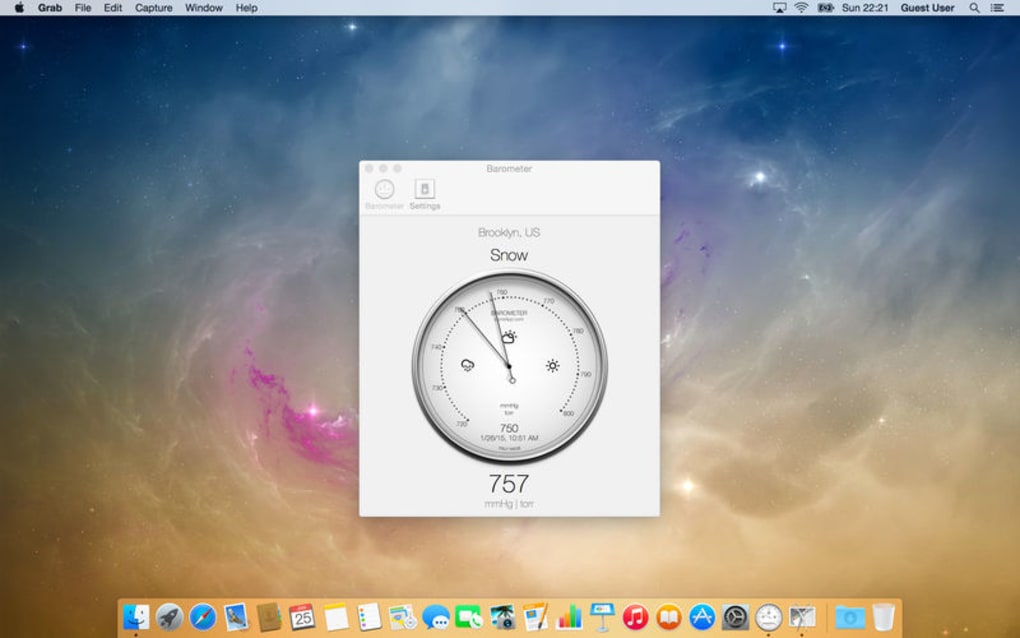
- Multiple unit options: mm Hg, in Hg, and hPa (millibars) to suit regional preferences.
- Instantaneous updates – pressure values refresh in a matter of seconds.
- Cross‑platform support: Windows, macOS, Android, and iOS devices.
- Multilingual interface with more than ten language packs.
- Weather‑impact analysis – low pressure alerts for potential storms, high pressure for clear skies.
- Health‑focus mode – visual trend graphs that help users with arthritis predict joint‑pain episodes.
- Customizable notifications: receive push alerts when pressure crosses user‑defined thresholds.
- Offline snapshot mode – save the latest reading for reference when the connection drops.
- Lightweight design ensures low CPU usage and minimal battery drain on mobile devices.
Each feature has been engineered with both casual users and power users in mind. For example, the notification system lets you set a specific pressure range (e.g., 1010‑1020 hPa) that triggers a gentle reminder to pack an umbrella or postpone a hike. Meanwhile, the health‑focus mode offers a simple line graph that highlights sudden drops which are often correlated with increased joint stiffness. The multilingual capability means you can switch the interface language on the fly, making it an ideal companion for travelers. All of these features are tied together by a clean, intuitive UI that prioritizes readability – large fonts for the main pressure value and clear icons that convey weather trends at a glance.
Installation & Usage Instructions
Getting started with Barometer Atmospheric Pressure is straightforward. Follow these steps to install and begin using the app on your preferred device:
- Download the installer: Visit the official website or your device’s app store (Google Play Store for Android, Apple App Store for iOS, Microsoft Store for Windows, or Mac App Store for macOS). Click “Download” and allow the file to save.
- Run the installer: On Windows, double‑click the
.exefile and follow the on‑screen prompts. macOS users will open the.dmgand drag the app to the Applications folder. Mobile users simply tap “Install”. - Grant internet permission: Because the app pulls live data, you’ll be asked to permit network access. Accept the request to enable real‑time updates.
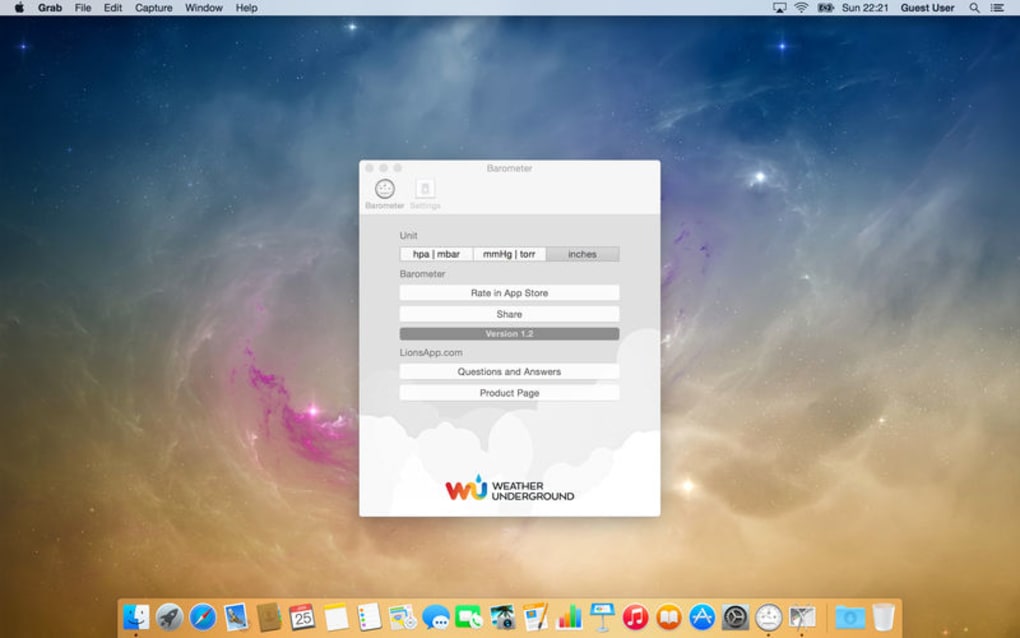
- Initial configuration: The first launch presents a quick setup wizard. Choose your preferred unit of measurement, select your language, and enable push notifications if desired.
- Location setup: You can let the app use your device’s GPS for automatic location detection, or manually enter a city or zip code. This ensures the pressure data is relevant to your exact area.
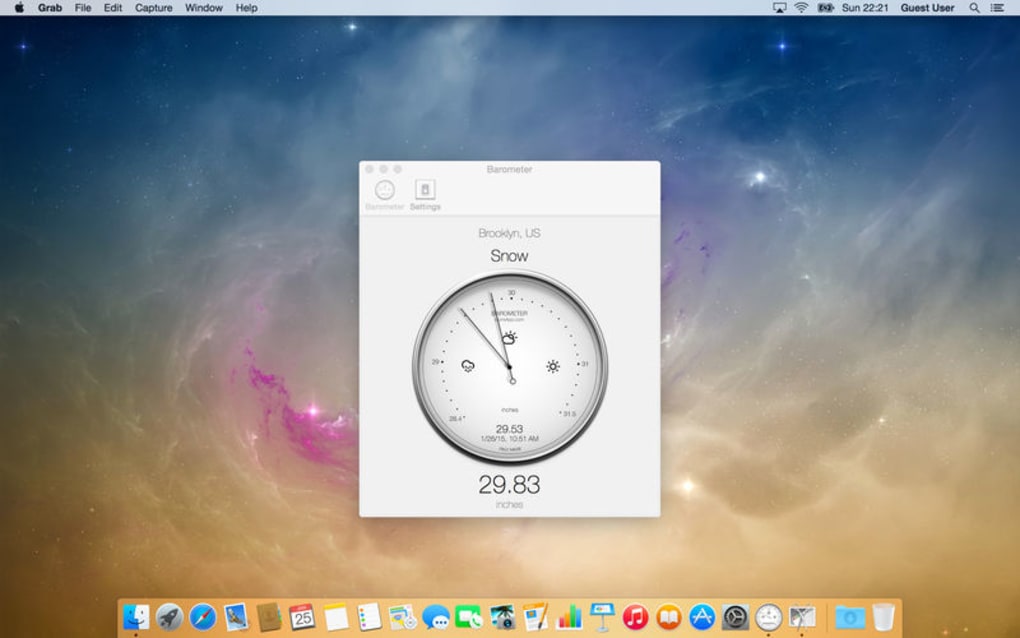
- Explore the dashboard: The main screen displays the current pressure reading, a colour‑coded trend bar (green for rising, red for falling), and a small weather‑icon indicating the broader forecast.
- Advanced options: Dive into Settings → “Health Mode” to enable the arthritis‑tracking feature. Here you can set custom thresholds that trigger alerts when rapid pressure changes are detected.
Once installed, the app runs silently in the background, refreshing the pressure value every 5‑10 minutes. You can manually pull a refresh by swiping down on the dashboard. For power users, the “Developer Log” option reveals the raw JSON feed from Weather Underground, useful for troubleshooting or integration with other home‑automation tools. Overall, the installation process takes under five minutes, and the intuitive UI ensures you’ll be reading live barometric data in no time.
Compatibility, Pros & Cons
Barometer Atmospheric Pressure is built with cross‑platform compatibility in mind. The software runs natively on:
- Windows 10 and later (64‑bit)
- macOS 10.13 (High Sierra) and later
- Android 7.0 (Nougat) and newer
- iOS 12.0 and later (iPhone, iPad, iPod Touch)
Pros
- Highly accurate data sourced from a reputable meteorological service.
- Fast, real‑time updates with minimal latency.
- Multi‑unit and multilingual support broadens accessibility.
- Health‑focused features address a niche need for arthritis sufferers.
- Low system resource usage – runs smoothly on older hardware.
- Customizable alerts help users act proactively on weather changes.
Cons
- Requires an active internet connection; offline functionality is limited to the last saved snapshot.
- No built‑in radar or precipitation maps – it focuses solely on pressure.
- Free version displays occasional sponsor messages; the ad‑free experience is a paid upgrade.
- Advanced health‑mode settings may be overwhelming for first‑time users.
Barometer Atmospheric Pressure stands out as a reliable, easy‑to‑use tool for anyone who needs instant pressure readings. Its blend of scientific accuracy and health‑aware design makes it a unique addition to the crowded weather‑app market. While the requirement for an internet connection and occasional ads in the free tier are minor drawbacks, the overall value—especially for outdoor enthusiasts and arthritis patients—is impressive. The cross‑platform support ensures you can stay informed whether you’re on a laptop, tablet, or smartphone.
Frequently Asked Questions
Do I need a paid subscription to use Barometer Atmospheric Pressure?
The core functionality—real‑time pressure readings, unit conversion, and basic notifications—is free. A one‑time in‑app purchase removes sponsor messages and unlocks premium health‑mode customizations.
How accurate is the pressure data compared to a physical barometer?
The app pulls data directly from Weather Underground, which aggregates readings from a global network of professional stations. In most locations, the reported pressure is within ±0.5 hPa of a calibrated handheld barometer.
Can the app work without an internet connection?
The app requires internet access to fetch the latest pressure values. However, it stores the most recent reading locally, allowing you to view that snapshot when offline.
Is the app suitable for people with arthritis?
Yes. The health‑mode visualizes pressure trends and can send alerts when rapid drops occur—conditions often linked to increased joint pain. Users can set personalized thresholds to receive early warnings.
What languages are supported?
The interface is available in English, Spanish, French, German, Italian, Portuguese, Russian, Chinese (Simplified), Japanese, Korean, and Dutch. Additional language packs are added periodically.
Conclusion & Call to Action
Barometer Atmospheric Pressure delivers a potent mix of scientific precision and everyday practicality. By providing instant, reliable pressure readings across all major platforms, it empowers outdoor adventurers, weather‑curious users, and health‑conscious individuals alike. The free tier offers substantial value, while the optional premium upgrade removes ads and unlocks deeper health‑tracking capabilities. If you’re looking for a lightweight, accurate tool to help you anticipate storms, plan your next hike, or simply stay ahead of joint‑pain flare‑ups, this app is a solid choice.
Ready to experience real‑time barometric insights? Download Barometer Atmospheric Pressure now and start making weather‑smart decisions today!







